Learn About Assay
Stop Searching Documents. Start Asking Questions using Claude's Intelligence.
Upload PDFs, connect Claude Desktop, explore related content, get answers grounded in your research and shared related public documentation, not generic training data.
Why Was This Site Created?
Document Summaries Get Lost in Chat History
Chat interfaces are ephemeral—upload a PDF, get an answer, lose context over time.
Assay creates a persistent, searchable library you can query anytime.
Your document summaries become a knowledge base, not disposable uploads.
Keyword Search Misses Connections
Different authors use different terms for the same concepts.
Canonical themes find "fault tolerance," "resilience," and "high availability" as related.
Discover documents and summaries you didn't know were relevant.
Generic LLMs Can't Access Your Research
ChatGPT and Claude use training data, not YOUR documents.
MCP integration lets Claude query your actual collection.
Get answers grounded in your research with source attribution.
Why Assay?
How Assay compares to LLM Chat for document intelligence
| Feature | LLM Chat (ChatGPT, Gemini, Claude, etc.) | Assay |
|---|---|---|
| Pre-processed Summaries | ||
| Theme-Based Organization | ||
| Document-Specific Knowledge | Training data only | |
| Cross-Document Analysis | Manual only | |
| Structured Validation & Grounding | Manual prompting required | |
| Persistent Document Library | ||
| Similar Document Discovery | ||
| Grounded in Your Collection |
How It Works
1. Upload Your Document
Simply drag and drop or select a PDF file from your computer. Our system accepts PDFs up to 5 MB in size, ensuring fast processing while maintaining quality.
File Size Limit: 5 MB per document. This limit ensures optimal processing speed and system performance.
2. Get Your Summaries
Once uploaded, our AI processes your document and generates three types of summaries (Comprehensive, Casual, FAQ). During processing, themes are automatically discovered and mapped to our canonical taxonomy, enabling theme-based discovery across your entire collection.
Choose between fast processing (Gemini 2.5 Flash) or premium quality (Gemini 2.5 Pro) for more detailed analysis.
What are Canonical Themes?
Each document is automatically classified into a stable theme taxonomy (e.g., CLOUD_COMPUTING.ARCHITECTURE or SECURITY.ZERO_TRUST). This canonical classification system is what powers theme-based browsing, searching, FAQ generation, and similarity detection—making Assay more than just summaries in a database.
3. Public and Private Collections
You have full control over your documents:
Private Collection
Keep your documents private and accessible only to you. Perfect for personal research, confidential materials, or work documents.
Public Collection
Share your documents with the community. Public documents can be discovered by others through theme searches and similar document recommendations.
Summaries Overview
Summary Types Comparison
Three different formats to suit your reading preferences and needs
| Summary Type | Comprehensive | Casual | FAQ |
|---|---|---|---|
| Length | Multiple pages | Quick read | Variable |
| Structure | Structured | Narrative | Q&A format |
| Depth | In-depth | Accessible | Focused |
| Organization | 8 sections | 3-4 paragraphs | By Canonical themes |
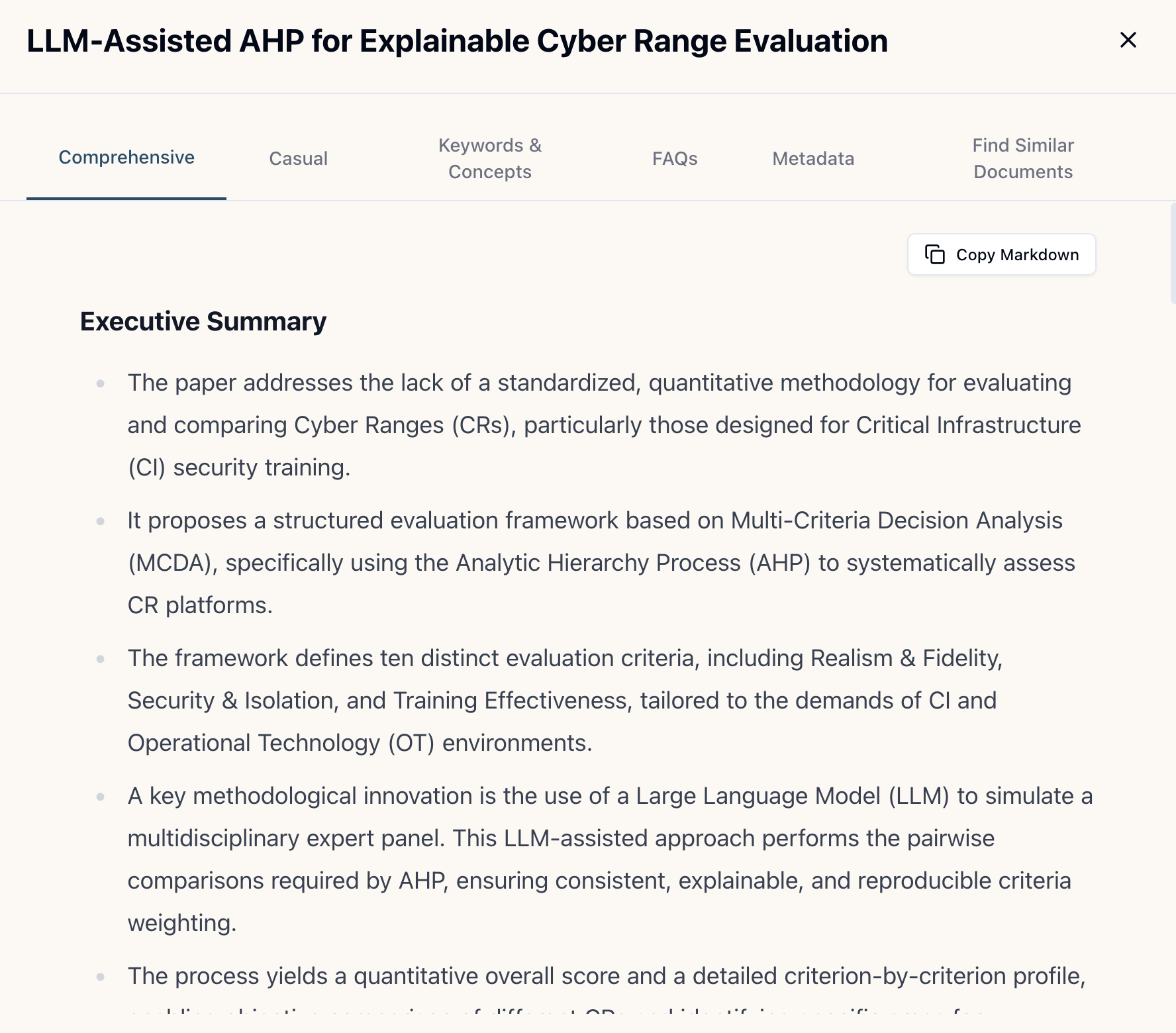
Comprehensive Summary
More words, structured, in-depth
A detailed, structured analysis with 8 sections covering executive summary, core thesis, key concepts, evidence, significance, limitations, and practical implications.
Best for:
Deep understanding, research, detailed analysis
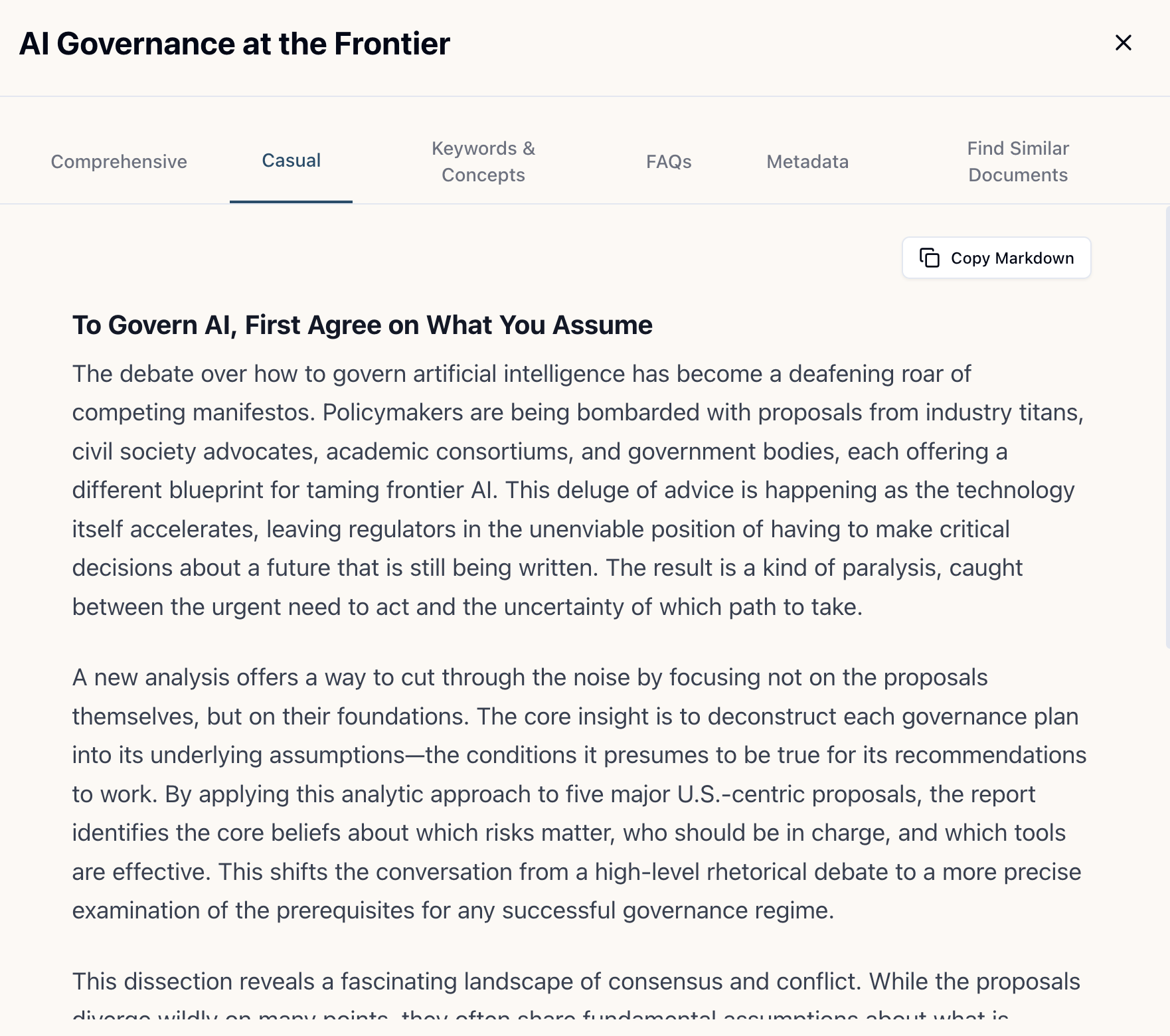
Casual Summary
Quick read, narrative
Written as though it is an article in a popular science magazine. 3-4 engaging paragraphs with accessible language and story-driven narrative.
Best for:
Quick reading, sharing with non-technical audiences
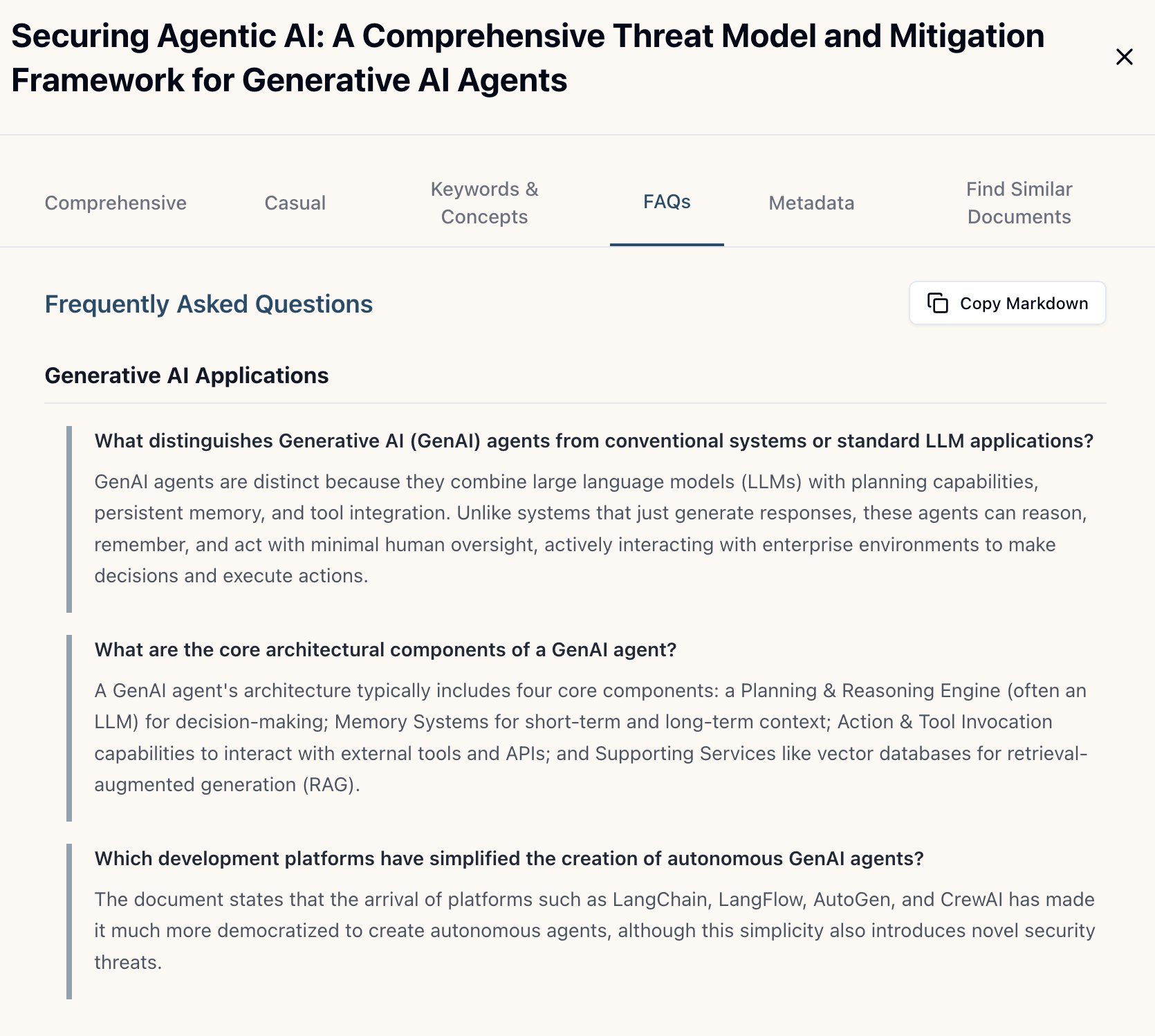
FAQ Summary
Organized by Canonical themes
5-12 questions and answers organized by Canonical themes. Practical focus with comprehensive coverage of key aspects.
Best for:
Quick reference, understanding specific aspects, teaching/learning
User Tiers
Anonymous
Free tier for everyone
- Search public documents
- Upload up to 5 documents
- All uploads are public
- Fast (Flash) quality only
Member
Registered users
- Search all documents
- Upload up to 20 documents
- Private and public documents
- Fast (Flash) quality only
Premium
Upgraded members
- Search all documents
- Upload up to 50 documents
- Private and public documents
- Premium (Pro) quality available
- Fast (Flash) quality included
To become a Member, simply sign in with Google. Premium tier is available on an invite-only basis during our MVP phase.
Ways to Interact with Assay
1. Web-Based Interface
Direct access to your collection
- Browse documents organized by themes, authors, and dates
- Read comprehensive, casual, and FAQ summaries
- Theme-based search and similar document discovery
- Upload PDFs, manage visibility, track processing
- View personalized library insights and research profile
Best for:
Direct document exploration, reading summaries, managing your collection
2. MCP (Model Context Protocol)
Claude Desktop integration
- 13 powerful tools for search, retrieval, and analysis
- Access both private and public collections
- AI-powered exploration from Claude conversations
- Ask questions, generate FAQs, compare documents
- Client-side synthesis (no additional API costs)
Best for:
Conversational document exploration, asking questions, getting AI-powered insights
3. MCP + Skills
Enhanced MCP with Skills
Claude Agent Skills are behavioral guardrails + verification workflows that make MCP responses more consistent and grounded.
- All MCP features with behavioral guidelines
- More structured and directed validation
- Controlled verification workflows
- Optional server-side synthesis (API key or credits)
- More consistent, directed responses
Best for:
When you want more controlled validation and more directed, structured responses
Assay Interaction Methods
Different ways to interact with your Assay document collection
| Feature | Assay Web | Assay + MCP | Assay + MCP + Skills |
|---|---|---|---|
| Pre-processed Summaries | |||
| Cross-Document Analysis | Manual | ✓ Enhanced | |
| Structured Validation | N/A | Manual | ✓ Enforced |
| Synthesis Quality | N/A | Variable | Consistent |
| Setup Complexity | None | Moderate | Moderate-High |
| Cost | Free | Free | Free (client) or Credits/API Key (server) |
| Best For | Direct exploration, reading summaries | Conversational exploration, flexible synthesis | Structured, grounded responses |
Learn More
Explore detailed guides and use cases to get the most out of Assay
Ready to Get Started?
Upload your first document and experience the power of AI-driven document analysis.